


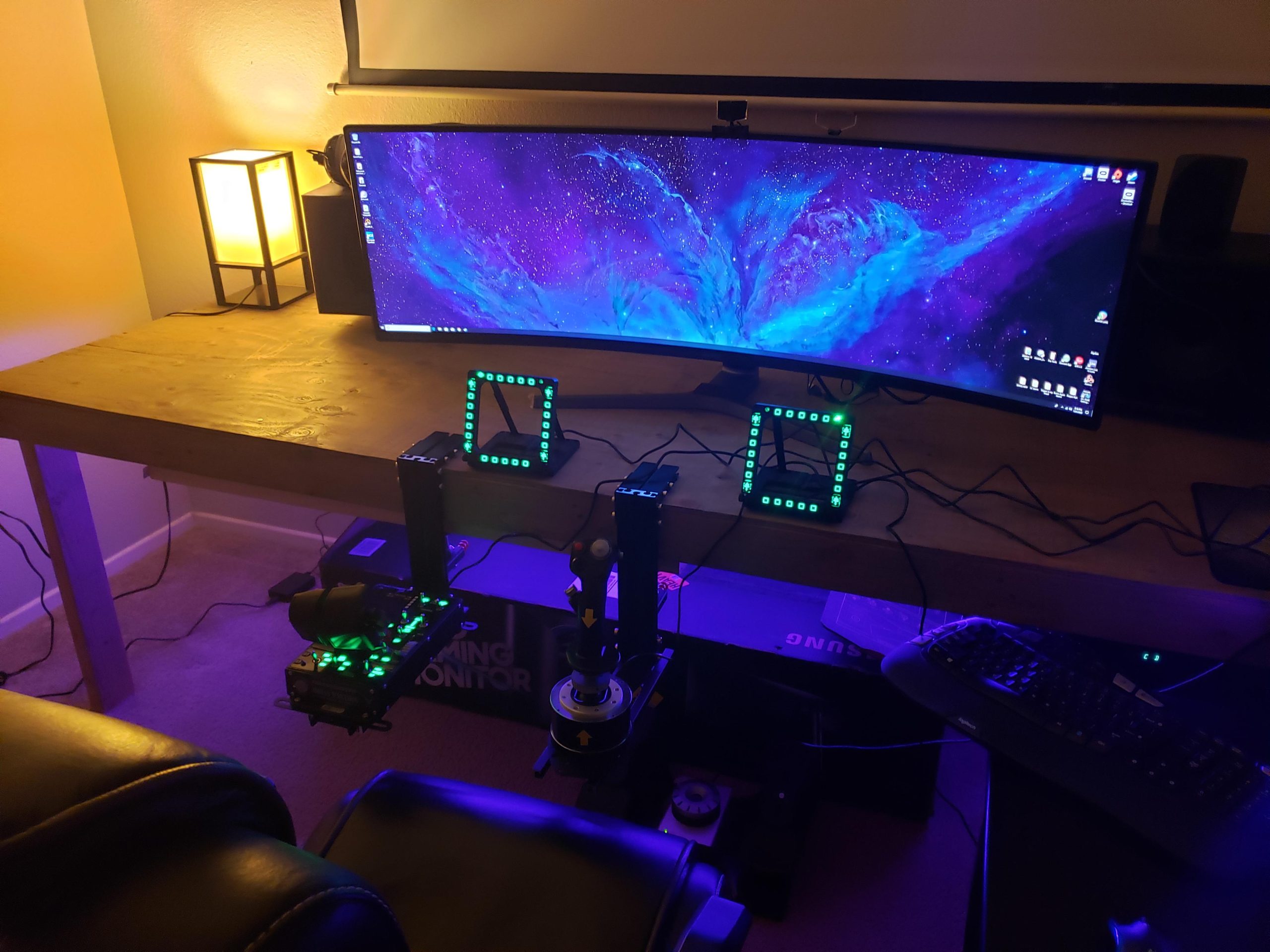
Can you play DCS with a PS4 controller? DCS World is widely regarded as one of the most sophisticated and immersive combat flight simulators available. With its remarkable attention to detail, DCS World is a favorite among aviation enthusiasts who seek an authentic, real-world flying experience. However, while advanced setups like HOTAS (Hands On Throttle-and-Stick) systems are ideal, you might be wondering if it’s possible to pilot aircraft in DCS World with just a simple PS4 controller.
In this guide, we’ll explore whether using a DualShock controller is feasible, the challenges it presents, and alternative options for a satisfying experience in DCS World.
DCS World
DCS World is not your typical flight simulator; it’s designed for those who value accuracy, realism, and the intricacies of real-world aviation. Unlike arcade-style flight games, DCS World demands both dedication and skill to master.
Key Features of DCS World
- Unmatched Realism: DCS World meticulously replicates real aircraft, complete with detailed cockpits, realistic flight physics, and complex avionics. Every button and switch serves a specific purpose, offering a near-cockpit experience.
- Complex Learning Curve: With all its features comes the challenge of learning. From mastering flight dynamics to understanding multi-layered systems, DCS World demands significant time and effort to become proficient.
Can You Play DCS with a PS4 Controller?

The simple answer is yes—technically, you can use a PS4 controller with DCS World. However, there are important considerations to keep in mind.
Compatibility Overview
- Not Officially Supported: DCS World does not officially support gamepads like the PS4 controller. While your PC can recognize the controller, the default mapping and control setup are not optimized for the complex nature of DCS World.
- Feasible with Workarounds: While a PS4 controller can work with third-party software, the experience may not be ideal.
Can You Play DCS Without a Joystick?
Challenges of Using a PS4 Controller in DCS World
Using a PS4 controller to fly in DCS World comes with a set of limitations that can impact gameplay.
Limited Control Options: A PS4 controller offers a finite number of buttons and analog sticks. DCS World, however, requires numerous controls for everything from aircraft systems to weapons and navigation. Mapping these to a controller’s limited buttons can be confusing and impractical.
Precision Issues: Flight control in DCS World relies heavily on precise, nuanced movements. PS4 controller analog sticks do not provide the same level of accuracy or range of motion as dedicated flight sticks. This can lead to less responsive and more erratic flight handling.
Reliance on Keyboard for Essential Functions: Many key functions—such as communications, targeting, and cockpit management—will still require the use of a keyboard. This constant switch between controller and keyboard can disrupt gameplay and diminish the immersive experience.
Making It Work with Third-Party Software
For those determined to use a PS4 controller, there are ways to make it function with DCS World, albeit with limitations.
Using DS4Windows
- What It Does: DS4Windows is a popular tool that allows a PS4 controller to be recognized as an Xbox 360 controller by your PC, enabling its use in games like DCS World.
- Setting Up Profiles: You can customize button mapping to assign specific DCS functions to the PS4 controller’s buttons. However, this process can be time-consuming and may require some trial and error to find an effective configuration.
- Limitations Remain: Even with emulation software, you’ll still face challenges with precision and limited button mapping.
Better Alternatives for a Full DCS World Experience

While a PS4 controller might suffice for basic navigation, it’s far from optimal. To truly enjoy DCS World, consider these alternatives.
- HOTAS (Hands-On Throttle-and-Stick) Systems: HOTAS systems are the gold standard for flight simulators. They replicate the controls of a real aircraft, offering:
- Precision and Control: Dedicated flight sticks provide smooth, precise handling that controllers can’t match.
- Enhanced Immersion: Realistic throttle and flight stick setups create a cockpit-like feel that enhances your overall experience.
- Convenient Button Mapping: With additional buttons, hatswitches, and throttle controls, HOTAS systems allow you to map all essential functions for a more intuitive and immersive gameplay experience.
- Flight Yokes: For those interested in a more traditional, civil flight experience, flight yokes are ideal. While they offer excellent control for larger aircraft, they’re less suitable for the rapid maneuvers required in DCS World’s fighter jets.
- Mouse and Keyboard (Basic Flight): While this setup won’t match the immersion or precision of dedicated systems, a mouse and keyboard can be used for basic navigation and training. This is a good starting point for newcomers before investing in more specialized equipment.
How fast is the PS5 compared to a PC?
Final Thoughts
Using a PS4 controller for DCS World is possible but not recommended. The controller’s limitations in buttons, precision, and functionality can significantly impact gameplay. For those who seek an authentic and engaging flight simulation experience, investing in a HOTAS system or flight yoke is well worth it. These tools provide the precision, intuitive controls, and immersion necessary to fully appreciate everything DCS World has to offer. So while you can start your aviation journey with a PS4 controller, consider upgrading to dedicated flight controls for a truly stellar experience.